
Connect your AI to your trips.
If you already plan with Claude or ChatGPT, connect it to Routetto: it can put the whole trip together and its changes land in your plan instead of a separate chat. If you don’t use AI, you don’t need this: Routetto works just the same.
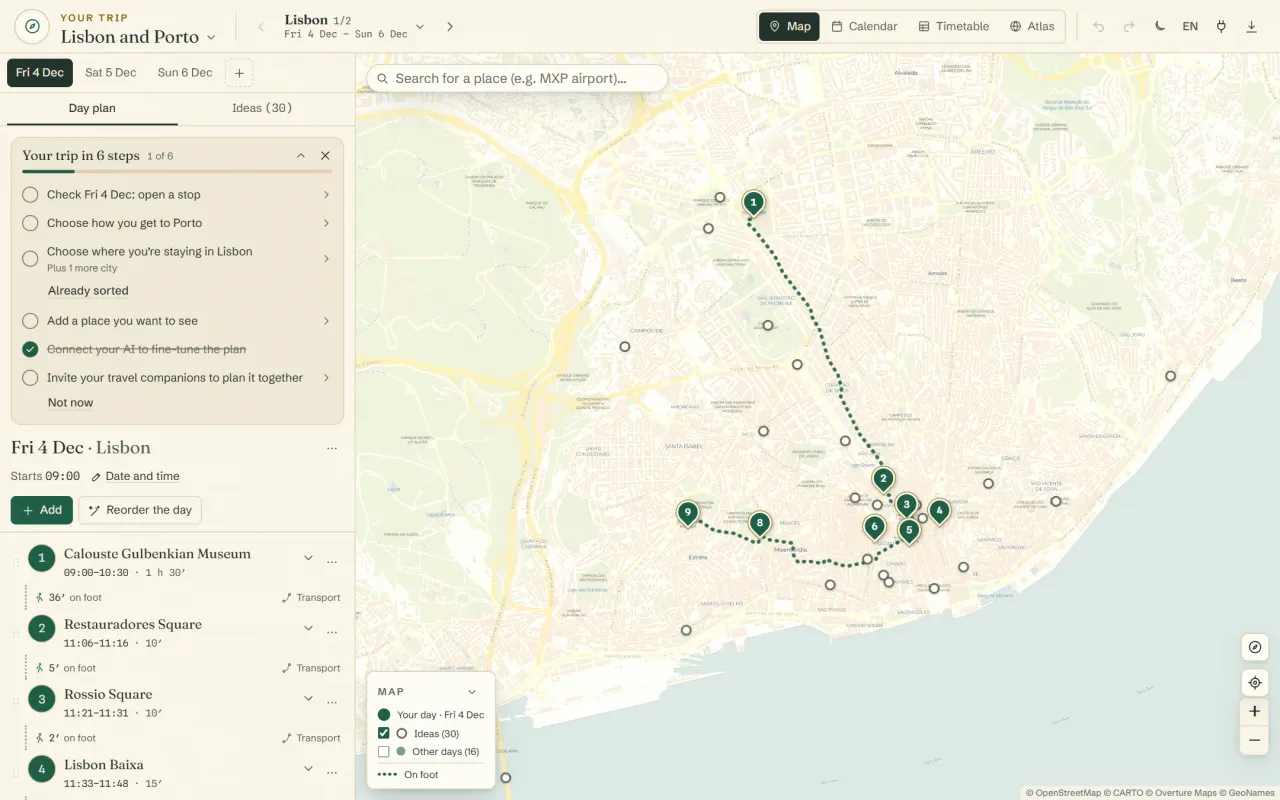
What you can ask it
- Create a trip: Lisbon for 3 nights and Porto for 2, arriving on 4 December. Prepare the suggested plan and tell me what’s missing.
- Add Belém and São Jorge Castle to Saturday.
- Find a Monday-morning train from Lisbon to Porto and put it in the day.
- Reorder Friday so I walk as little as possible.
- Move the museum to Sunday.
- Undo that.
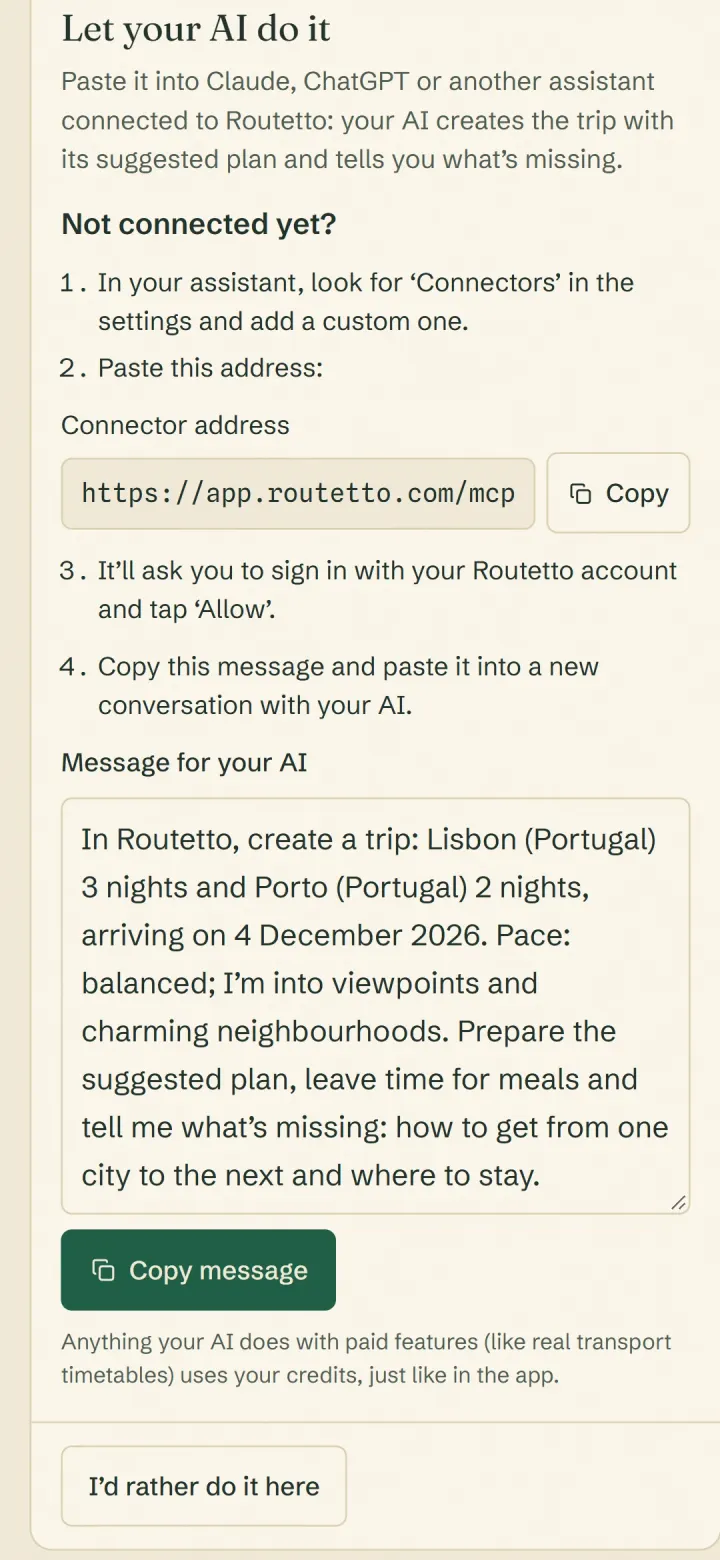
Or let it put the whole trip together.
When you start a new trip, tap ‘Let my AI do it’. Routetto gives you a message with the route, dates and pace you’ve already chosen, ready to paste. Your AI creates the trip with its suggested plan and tells you what’s missing: how to get from one city to the next and where to stay. If your AI isn’t connected yet, it shows you how right there.
Once the trip exists, the trip’s list of steps gives you another message so your AI can review the trip and fit it to your pace. That message asks it to check with you before any big changes.
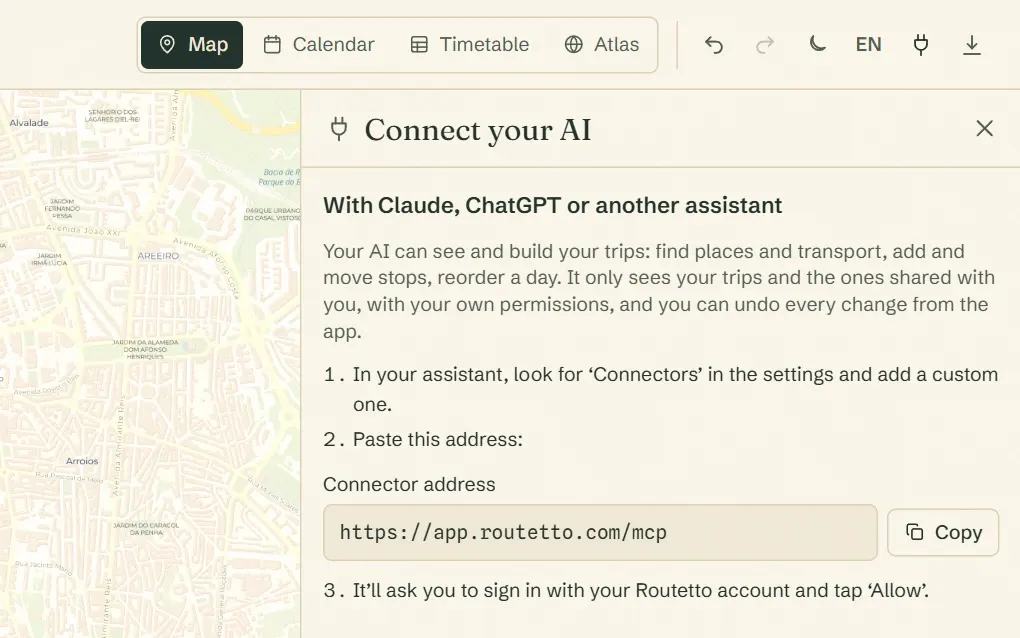
How to connect it
- In Routetto, open ‘Connect your AI’ (the plug icon at the top; on a phone, under More).
- Copy the address it gives you.
- In your AI, add it as a connector and approve access with your Routetto account.
What it can and can’t do
- It only sees your trips and the ones shared with you, with your permissions. If a trip is view-only, your AI can’t change it either.
- Everything it does can be undone.
- It never deletes a stop: it sends it back to Ideas or sets it aside.
- Disconnect it whenever you like, from the same screen.
- Connecting is free. Anything it does with a paid feature, like looking up a train or Google photos, comes out of your balance, just as if you’d done it yourself.
For developers
Routetto also has an MCP server and an API with the same 19 actions, plus an OpenAPI spec. For your own scripts, create a personal token under ‘Connect your AI’; it can be read-only.
Read
list_tripsYour trips and the ones shared with youget_tripThe trip day by day, with its computed schedulelist_ideasThe saved ideas for a city
Search
search_placesFind real places near a citydiscover_placesAdd the places worth seeing to your ideassearch_transportFind trains, buses and ferries between two points
Build the plan
plan_tripCreate the whole trip (route, nights, dates and pace) with its suggested plandraft_planPrepare or redo the suggested plan on empty dayscreate_tripCreate a trip with its first cityadd_cityAdd a city with its first dayadd_dayAdd a day in a cityupdate_dayChange a day’s date or start timeadd_placeAdd a place, a meal or a hoteladd_transportPut a transport option into the dayupdate_stopChange a stop’s duration, fixed times or notesmove_stopMove a stop to another day or positionremove_stopSend a stop back to ideas or discard it (never deletes)
Optimise and undo
optimize_dayReorder the day to walk as little as possibleundoUndo the trip’s last change
No trip in Routetto yet? Start one, then connect your AI.